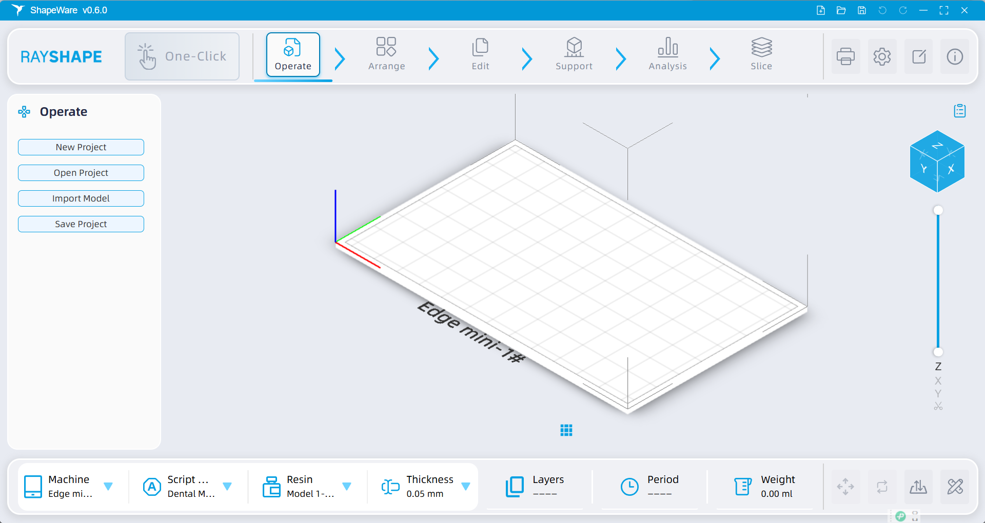
3. Software Interface Introduction
3.1 Main Interface Layout
The main interface of ShapeWare 2.0 is primarily divided into the following areas:
|
No. |
Area |
Description |
|
① |
Top Toolbar |
Includes the main functional buttons for One-Click Slicing |
|
② |
Top Management Backend |
Includes backend management buttons for parameters, resin profiles, and settings, etc. |
|
③ |
Left Function Sidebar |
Includes various functions/sub-functions and parameter lists. |
|
④ |
Central 3D Viewport |
Includes the display and manipulation of models and the build platform, etc. |
|
⑤ |
Right List Panel |
Includes the file list display and the button to add a new build platform. |
|
⑥ |
Bottom Parameter Bar |
Includes print and information display. |
|
⑦ |
Bottom Quick Action Bar |
Includes quick action buttons for moving, rotating, etc. |